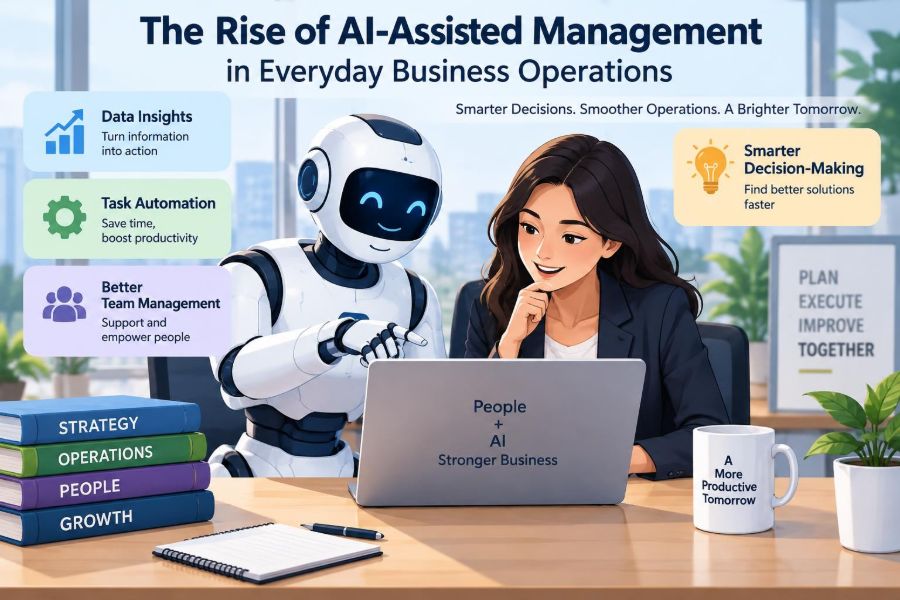

At 8:45 on a Monday morning, a manager opens a dashboard containing late supplier deliveries, an unusually high support-ticket backlog, revised sales forecasts, and several requests for approval. None of these tasks is dramatic on its own. Together, they create the familiar pressure of deciding what needs attention first.
For many teams, artificial intelligence is becoming part of this ordinary work. It may summarize a meeting, flag a possible stock shortage, draft a customer reply, or turn a dense spreadsheet into a clearer explanation. The practical question is no longer whether managers will encounter AI, but how they can use it without losing judgment, accountability, or trust.
AI-assisted management does not mean handing a business to software. At its best, it helps people notice patterns, reduce repetitive administrative work, and prepare better decisions. At its worst, it can produce confident-looking errors at greater speed.
Understanding the difference matters to students preparing for management roles and professionals redesigning work already underway.
🤖 What AI-Assisted Management Actually Means
AI-assisted management is the use of AI tools to support planning, coordination, analysis, communication, and decision-making in business operations. The word assisted is central: the manager remains responsible for setting goals, checking outputs, making trade-offs, and owning consequences.
This category includes generative AI, which creates text, images, code, or summaries, as well as predictive systems that estimate likely demand, delays, churn, or workload. It also includes tools that classify documents, extract information from invoices, or route requests to the appropriate team.
🧭 Why Everyday Operations Are a Natural Starting Point
Daily operations generate many small decisions: which orders to prioritize, when to schedule staff, whether an expense falls outside policy, and what recurring complaint customers are raising. These decisions often rely on information spread across emails, calendars, spreadsheets, customer systems, and meeting notes.
AI can help bring that information into a more usable form. A tool that condenses a long project update into risks, owners, and next actions may save time without changing the underlying decision rights.
📈 The Operational Pressures Driving Adoption
Businesses are adopting these tools partly because work has become more data-heavy and more fragmented. Teams are expected to respond quickly while coordinating across locations, time zones, software platforms, and external partners.
At the same time, managers are frequently asked to do more coaching and strategic work while still handling routine reporting. AI is attractive because it promises to reduce the administrative layer between a problem and a useful view of that problem.
🧩 AI Is Not One Single Capability
Confusion begins when every automated feature is called AI. Different capabilities have different strengths and risks, so managers should identify the actual task before choosing a tool.
| Capability | Useful operational role | Key management check |
|---|---|---|
| Generative AI | Drafting summaries, plans, and communications | Accuracy, tone, confidentiality |
| Prediction | Forecasting demand or likely delays | Data quality and changing conditions |
| Classification | Sorting tickets, invoices, or requests | Incorrect categories and exceptions |
| Optimization | Suggesting schedules, routes, or allocations | Fairness, constraints, and trade-offs |
A polished paragraph and a reliable forecast are not the same achievement. Each requires a different level of validation.
📝 Turning Meetings into Usable Action
Meeting notes are one of the clearest low-risk uses. An AI assistant can produce a draft summary, identify decisions, list unresolved questions, and propose action owners.
That draft still needs review. Names may be confused, a tentative idea may be represented as a decision, or an important disagreement may disappear in the summary. The meeting leader should confirm the final record, particularly where commitments affect customers, budgets, or performance.
📬 Improving Customer Service Triage
Support teams can use AI to group incoming messages by topic, urgency, language, sentiment, or likely resolution path. This can help urgent issues reach trained staff sooner and reduce time spent manually sorting repetitive requests.
However, sentiment detection is imperfect. A brief message may sound neutral while describing a serious problem, and customers use language differently. A sensible process lets agents override the system and regularly reviews whether certain customer groups are being misrouted.
📦 Supporting Inventory and Procurement Decisions
Inventory management involves uncertainty: demand changes, suppliers miss dates, products substitute for one another, and storage capacity is limited. Predictive tools can combine past demand with current orders and lead-time patterns to flag items worth investigating.
A flag is not an instruction to buy. A manager may know that a promotion has ended, a major customer is changing its order pattern, or a supplier has given information not yet captured in the system. Context is often the difference between a useful forecast and an expensive overstock.
👥 Making Workforce Planning More Informed
Managers can use AI-assisted analysis to anticipate busy periods, identify coverage gaps, and estimate the staffing needed for different demand scenarios. This can be especially useful in retail, hospitality, contact centers, field service, and project-based work.
Scheduling affects people’s income, wellbeing, and opportunities. A system optimized only for labor cost may create unstable shifts or repeatedly assign undesirable work to the same employees. Human review must consider policy, skills development, fairness, and reasonable flexibility.
💼 Reducing the Friction of Routine Administration
Administrative work often contains predictable steps: extracting fields from documents, matching purchase orders to invoices, preparing first drafts of status reports, and answering standard internal questions. AI can shorten these workflows when the inputs and rules are reasonably clear.
The best candidates are not simply tasks that take time. They are tasks with a repeatable structure, clear quality checks, and a safe way to handle exceptions.
🔎 Finding Patterns Managers Might Otherwise Miss
AI can scan larger volumes of operational data than an individual manager can comfortably review. It may detect that returns rose after a packaging change, that project delays cluster around one approval stage, or that certain support issues occur after a software update.
Pattern detection is a starting point for investigation, not proof of cause. The rise in returns might reflect a new customer segment, a reporting change, or a temporary shipping issue rather than the packaging itself.
🗂️ Creating a Better Management Information Flow
Management quality depends heavily on the flow of information. When every team creates a separate report and updates it at a different time, leaders spend meetings reconciling versions rather than solving problems.
AI can summarize approved data sources and tailor information for different audiences. A frontline supervisor may need today’s exceptions, while an executive needs trends, risks, and decisions requiring escalation. Clear source labels make those summaries more trustworthy.
🧠 The Difference Between Automation and Augmentation
Automation performs a task with limited human involvement. Augmentation helps a person perform a task better or faster. The distinction shapes controls, training, and accountability.
Automatically sending a reminder for an overdue form may be appropriate. Automatically rejecting a supplier, changing an employee schedule, or approving a customer credit decision requires much greater caution because the consequences are more significant and exceptions matter.
🎯 Starting With a Specific Business Problem
A weak AI project begins with a broad ambition such as “use AI to transform operations.” A stronger one begins with a measurable operational problem: long case-routing times, inconsistent handover notes, delayed reporting, or frequent stockout investigations.
Define what better looks like before choosing technology. It might mean fewer manual touches, faster first response, more complete records, or more manager time for coaching. This prevents teams from mistaking tool activity for business improvement.
🧪 Using Small Pilots Before Broad Rollout
A pilot lets a team test a limited use case with real workflows and clear guardrails. It can reveal whether the tool saves time, creates new rework, fails on unusual cases, or fits poorly with existing systems.
For example, a project office could trial AI-generated weekly summaries for one portfolio before using them organization-wide. Compare drafts with human-created reports, record corrections, and ask whether recipients make better or faster decisions.
📏 Measuring Value Beyond Time Saved
Time saved matters, but it is not the only outcome. A faster process that increases errors, frustrates staff, or weakens customer trust may not create value.
- Quality: Are outputs complete, accurate, and usable?
- Speed: Does the workflow move faster from request to resolution?
- Consistency: Are similar cases handled in a more reliable way?
- Experience: Do employees and customers encounter less friction?
- Risk: Has the tool introduced privacy, compliance, or fairness concerns?
Measures should reflect the purpose of the workflow rather than only the easiest metric to collect.
🧹 Why Data Quality Still Sets the Ceiling
AI systems depend on the information available to them. Duplicate customer records, outdated product codes, missing timestamps, and inconsistent definitions can make an advanced tool produce misleading outputs.
Data preparation is not glamorous, but it is management work. Teams need shared definitions for terms such as “active customer,” “late order,” or “resolved ticket,” along with ownership for correcting key data at its source.
🔐 Protecting Confidential and Sensitive Information
Operational data may include customer details, employee information, contracts, financial records, or commercially sensitive plans. Before entering any material into an AI tool, managers need to know where the data goes, who can access it, how it is retained, and what organizational policies apply.
Publicly available tools may be unsuitable for sensitive work. Use approved systems, limit access according to role, and remove unnecessary personal or confidential details whenever possible. Legal, security, and privacy requirements differ by location and industry, so internal guidance matters.
⚖️ Managing Bias and Unequal Outcomes
Bias can enter through historical data, incomplete labels, proxy variables, or the way a task is defined. If past assignments reflected unequal access to opportunities, a system trained on those patterns may reproduce them.
Higher-stakes uses—such as hiring, performance evaluation, credit, pricing, or disciplinary decisions—need particularly rigorous governance. Managers should test for uneven outcomes, provide routes for challenge and review, and avoid treating a model score as an objective verdict.
🚧 Recognizing Hallucinations and Confident Errors
Generative AI can produce statements that sound plausible but are false, incomplete, or unsupported. This is often called a hallucination. It does not mean the system is intentionally deceptive; it means it generates likely-looking language rather than independently verifying every claim.
Never assume a generated answer is accurate because it is fluent. Check facts against reliable internal records, especially for policies, financial figures, contracts, customer commitments, technical instructions, and regulatory matters.
👤 Keeping a Human Accountable
Every AI-supported workflow needs a named person or role responsible for the final outcome. “The system decided” is not an adequate explanation to a customer, employee, auditor, or senior leader.
Accountability should be explicit: who approves the output, who handles exceptions, who investigates errors, and who can pause the process? Clear ownership also makes continuous improvement more practical.
🧯 Designing Exception Paths
Real operations are full of cases that do not match the standard pattern: a VIP customer has a special agreement, a supplier faces a sudden disruption, or an employee needs an accommodation. A process designed only for the average case can fail precisely when judgment is most needed.
Build a visible escalation route. Staff should know when to override an AI recommendation, whom to contact, and how to record the reason. Exception data can later show whether the underlying workflow needs redesign.
🗣️ Explaining Recommendations in Plain Language
Users are more likely to spot an error when they understand why a recommendation appeared. A useful system might show the data sources, assumptions, confidence limits, or main factors behind a suggested action.
Not every model can provide a simple explanation, but managers can still require transparency around the workflow. People should know whether they are seeing a prediction, a generated draft, a rule-based alert, or a recommendation based on past cases.
🧑🏫 Building AI Literacy Across the Team
AI literacy is not just prompt-writing skill. It includes knowing what a tool can and cannot do, checking outputs, protecting data, recognizing bias, and understanding when human escalation is required.
Training should use realistic work examples. Asking employees to practice reviewing an AI-generated incident summary is more useful than teaching abstract features without context.
🤝 Involving Employees Instead of Imposing Tools
Frontline employees understand workarounds, customer frustrations, and unusual cases that may not appear in process maps. Their input can reveal where AI would remove genuine friction and where it would add another screen or approval step.
Involvement also supports trust. People are more likely to use a tool thoughtfully when they understand its purpose, can report problems, and see that automation is not being presented as a substitute for their expertise.
📣 Communicating Change With Credibility
Vague announcements about “innovation” tend to create uncertainty. Managers should explain which tasks are changing, what remains human-led, how performance will be assessed, and where people can raise concerns.
Be honest about uncertainty. A pilot may succeed, fail, or require adjustment. Credible communication does not promise that every tool will improve work; it explains how the organization will learn safely.
🔄 Redesigning Processes, Not Just Adding a Tool
Adding AI to a poorly designed process can make confusion happen faster. If a customer request passes through five unnecessary handoffs, an AI summary may help each handoff but not solve the underlying delay.
Map the workflow first: trigger, inputs, decisions, handoffs, exceptions, and outcomes. Then identify whether AI should assist a particular step, whether the step should be simplified, or whether it should be removed altogether.
📊 Using Dashboards Without Becoming Dashboard-Driven
AI-enhanced dashboards can surface trends and anomalies, but numbers do not eliminate managerial interpretation. A falling average response time may hide a growing backlog of complex cases, while a productivity increase may result from easier work being selected first.
Use a small set of measures alongside qualitative evidence from employees and customers. Ask what the metric excludes, what behavior it could encourage, and whether the data is current enough for the decision at hand.
🌐 Coordinating Across Functions
Many operational gains depend on collaboration. Sales forecasts influence procurement; staffing affects service levels; product changes create support demand. AI can improve cross-functional visibility, but only if teams agree on shared objectives and data definitions.
A local optimization can hurt the wider business. For instance, minimizing warehouse labor may slow order processing enough to increase customer contacts and expedited shipping costs elsewhere.
📜 Establishing Practical Governance
AI governance is the set of rules, roles, and review processes that guide responsible use. It does not need to be bureaucratic for every low-risk task, but it should be proportionate to the impact of the use case.
- Maintain an inventory of approved tools and their uses.
- Set rules for sensitive data and prohibited uses.
- Document who owns each workflow and its controls.
- Review accuracy, incidents, overrides, and changing risks.
- Provide a way to report harmful or unexpected outcomes.
Governance turns responsible use from an individual preference into an organizational practice.
⚠️ Common Mistakes That Undermine Results
One common mistake is treating an AI output as a final answer rather than a draft or signal. Another is buying a tool before clarifying the process problem. Both create disappointment because they bypass the management work that makes technology useful.
Other pitfalls include ignoring data quality, failing to train users, measuring only short-term efficiency, and leaving no route for exceptions. These are not minor implementation details; they determine whether a tool improves operations or merely shifts work and risk elsewhere.
🛠️ A Sensible First 90-Day Approach
A practical starting sequence is deliberately modest. First, identify one repetitive, low-to-moderate-risk workflow where outputs can be checked easily. Next, document the current process and establish a baseline for quality, time, and exception volume.
- Choose a specific problem with a clear owner.
- Confirm approved tools, data boundaries, and review requirements.
- Pilot with a small group and real but controlled work.
- Compare results with the existing method and examine errors.
- Refine the workflow before expanding access.
This approach produces evidence relevant to the organization rather than relying on broad claims about AI.
🌱 The Manager’s Role Is Evolving, Not Disappearing
As routine analysis and drafting become easier, the distinctly human parts of management become more visible: framing the right problem, resolving competing priorities, coaching people, negotiating trade-offs, and exercising ethical judgment.
Managers will increasingly need to ask better questions of systems and of their teams. They must also decide when not to use AI—particularly when information is too sensitive, stakes are too high, or the context cannot be captured responsibly.
🏁 The Core Principle: Use AI to Strengthen Judgment
The most durable approach is neither blind enthusiasm nor blanket resistance. AI is most valuable when it reduces avoidable friction and gives people better information for decisions they are still equipped and authorized to make.
Good management combines operational discipline with human judgment. Define the problem, protect the data, test the workflow, check the output, involve affected people, and retain clear accountability. Those habits matter more than any single platform or feature.
AI-assisted management works best when technology makes everyday business decisions more informed, transparent, and humanly accountable—not when it tries to replace management itself. Used with care, it can create space for better service, stronger teams, and more thoughtful operations. 📊🤝🌱