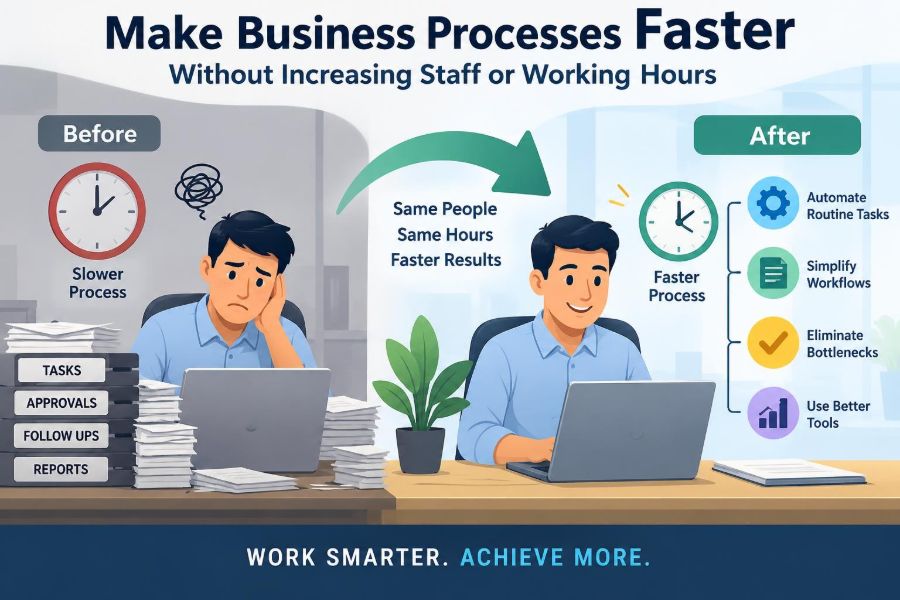

A customer asks for an update on an order. The service representative opens three systems, searches an inbox, waits for an approval, and sends a message to another team. Nothing about the work is especially difficult, yet the answer takes far longer than it should.
This is a familiar business problem. When demand rises, the immediate reaction is often to hire more people, ask current employees to work longer, or push everyone to “move faster.” Those responses may add capacity temporarily, but they rarely fix the reason work is moving slowly.
Most delays are built into the process itself: handoffs, unclear decisions, duplicate entry, avoidable waiting, and work that has to be corrected later. Improving those conditions can increase speed while protecting employees from unsustainable pressure.
The goal is not to make people rush. It is to design work so that less time is spent searching, waiting, clarifying, redoing, and managing preventable exceptions.
⚙️ Start With the Right Definition of Faster
A faster process does not necessarily mean every individual task is performed at a frantic pace. It means the customer, colleague, or business receives the completed result sooner and with reliable quality.
Two measures are especially useful. Processing time is the time someone actively works on an item. Lead time, also called cycle time in many settings, is the total time from request to completion, including waiting.
A loan review may need only 30 minutes of active work but take five days to finish because it waits in queues. Cutting the waiting time is often more valuable than trying to make the review take 25 minutes.
🧭 Choose One Process and One Clear Outcome
“Improve operations” is too broad to guide action. Select a defined process with a visible beginning and end, such as responding to customer complaints, approving expense claims, producing a weekly report, or onboarding a new supplier.
Then define the outcome in practical terms: a correct quote sent, a payment approved, a customer issue resolved, or a shipment released. A clear boundary prevents a project from turning into an attempt to redesign an entire company at once.
Begin where slow work creates a meaningful problem: missed commitments, frustrated customers, cash delays, recurring overtime, or employees constantly chasing information.
🗺️ Map What Actually Happens, Not What the Manual Says
A process map shows the real path of work. It records who does each step, what information they need, which system they use, where the work waits, and what causes it to go backward.
Build the map by observing work and speaking with the people who perform it. Formal procedures often describe the intended route; daily practice reveals workarounds, unofficial spreadsheets, repeated checks, and informal approvals.
Use a simple sequence first:
- Trigger: what starts the process?
- Inputs: what information, materials, or decisions are required?
- Activities: what happens to the item?
- Handoffs: where does ownership change?
- Output: what counts as complete?
Mark every place where an item sits idle. Those pauses are frequently where the largest improvement opportunity lies.
⏱️ Measure Waiting Alongside Work
Teams sometimes time only the activity they can see: entering a request, reviewing a document, or packing an order. That gives an incomplete picture because idle work is still unfinished work.
For a representative sample of cases, record when each major stage begins and ends. You do not need a large measurement program to spot patterns. Even a small set of ordinary cases can reveal that one queue, approval, or missing input is responsible for most of the elapsed time.
Separate normal cases from exceptional ones. A complex request may legitimately need extra review; it should not hide delays in the routine work that represents most volume.
🔎 Find the Real Constraint
A constraint is the point that limits how much finished work the whole process can produce. It may be a person, a machine, a specialist skill, a required approval, or a system that becomes slow at busy times.
Improving a non-constraint can make a local team look busier without improving the final outcome. If a design team creates proposals faster but legal review remains the bottleneck, proposals simply accumulate in front of legal.
Look for a stage with a persistent queue, frequent urgency requests, overloaded calendars, or work that is regularly sent back. Improve that point first, then reassess; the constraint can move after conditions change.
🚦 Reduce Work Waiting in Queues
Queues are not always visible. They can be email inboxes, ticket lists, folders awaiting review, saved drafts, and requests marked “pending.” Each queue creates delay and makes it harder to see what matters most.
A useful response is to set simple rules for how work enters and leaves a queue. For example, a team may review new requests twice daily, process complete routine requests in arrival order, and use explicit criteria for genuine urgent cases.
Do not solve queue problems by merely sending more reminders. Reduce the causes of accumulation: unclear ownership, uneven workloads, oversized batches, and tasks entering before they are ready.
📦 Limit Work in Progress
Work in progress, often shortened to WIP, means work that has started but is not complete. When too many items are open at once, people switch context, lose information, and leave many tasks waiting for the next action.
A WIP limit is a deliberate cap on how many items a person or team actively handles. It may feel counterintuitive to start fewer tasks, but finishing a smaller number before opening more usually makes completion more predictable.
For instance, a marketing reviewer might accept only five active campaign requests at a time. New requests remain visible in an intake list rather than becoming half-started work scattered across messages.
🔁 Remove Duplicate Entry and Repeated Checks
Typing the same customer details into several systems is a common source of slow work and preventable errors. Repeated checks can be equally wasteful when several people verify the same basic facts without a distinct reason.
First ask whether a field is actually used to make a decision, meet a stated requirement, or serve the customer. If not, remove it. If it is needed in multiple places, explore whether one approved source can feed the others.
Controls still matter. The aim is not to eliminate checks blindly, but to assign each check a clear purpose and avoid performing the same control several times under different names.
🧹 Simplify the Inputs Before Work Begins
Many processes are slow because they accept incomplete, ambiguous, or inconsistent requests. Staff then spend time asking follow-up questions, interpreting instructions, and correcting data downstream.
Improve the intake point with a short, well-designed form, required fields that are genuinely necessary, examples of acceptable submissions, and a visible definition of a complete request. This is sometimes called quality at the source.
A purchase request, for example, can require a supplier, cost code, business reason, and approver before it enters the workflow. That small discipline prevents the request from circulating repeatedly for basic information.
✅ Build Quality Into the Flow
Fixing mistakes late is expensive in time because the original work must be found, understood, corrected, and checked again. In customer-facing work, it may also require an apology or a revised commitment.
Build checks close to the point where an error can occur. Use input validation, concise checklists for high-risk tasks, templates with approved wording, and clear examples of common exceptions.
Quality controls should be proportionate. A simple, low-risk request should not receive the same level of review as a high-value payment or a decision with legal implications.
🧩 Standardize the Repeatable Core
Standard work is the best currently known method for completing a frequent task safely and consistently. It is not a rigid script for every situation; it provides a reliable default for work that repeats.
Useful standards can include a shared email response structure, naming conventions, a short handoff checklist, a standard folder location, or a step-by-step guide for a recurring system task.
When basic work is standardized, employees spend less mental effort rediscovering the process. They also have more capacity for cases that genuinely require judgment.
🎯 Create Decision Rules for Routine Cases
Work often stalls because people are unsure who may decide, what evidence is enough, or which exception requires escalation. The result is unnecessary approval requests and cautious back-and-forth.
Write decision rules for common scenarios. A rule might state that refunds below a defined internal threshold can be approved by a service lead when specified evidence is present, while unusual circumstances go to a manager.
Good rules include boundaries, not just permissions. They state when the normal route applies, when it does not, and where the exception should go.
🙋 Put Decisions Close to the Work
Every extra approval adds a handoff and a potential waiting period. Some approvals are essential for risk, governance, or accountability, but others persist simply because no one has reviewed them.
Ask of each approval: what decision is being made, what risk does it manage, and does the approver have information that the person doing the work does not? If the answer is unclear, redesign the control.
Delegating routine decisions with sensible guardrails speeds flow and can improve accountability. Employees must receive the authority, training, and access to use that responsibility properly.
🤝 Design Better Handoffs Between Teams
Handoffs are vulnerable points because context can disappear. A receiving team may not know what has been completed, why a decision was made, or whether all required information is present.
Define the handoff as a service agreement between teams: what the sending team provides, what “ready” means, who owns the item after transfer, and how the receiver signals a problem.
A shared status board can help, but only if it reflects real ownership. A label such as “with operations” is less useful than a named queue, a clear next action, and a time expectation.
🧺 Process Small Batches When Delay Matters
Batching means waiting until several items are collected before processing them together. It can save setup effort, but it also makes early items wait for later ones.
Consider a finance team that enters invoices only every Friday. An invoice received on Monday waits four days before anyone touches it. Smaller, more frequent batches may shorten lead time even if the team still spends a similar total amount of time processing invoices.
The best batch size depends on setup cost, system limits, demand patterns, and risk. Reduce it thoughtfully rather than assuming that every task should be handled one at a time.
🔀 Separate Simple Work From Complex Exceptions
A single queue for every request is easy to administer but often unfair to routine cases. Straightforward work gets stuck behind a small number of complicated, unclear, or high-risk items.
Create a fast path for requests that meet pre-agreed criteria and an exception path for work requiring investigation or senior judgment. The exception path should remain visible; it is not a place to hide difficult cases.
For example, standard address changes may be completed through a verified form, while changes involving identity concerns go to a specialist review queue.
💻 Automate Stable, Repetitive Steps
Automation can reduce manual effort and waiting, but it works best after the process is understood and simplified. Automating a confusing process often makes confusion happen faster and at greater scale.
Good candidates include copying verified data between systems, routing requests based on clear rules, sending status notifications, generating routine documents, and flagging missing information.
Keep a human review where context, empathy, interpretation, or material risk is involved. Also plan for failures: someone must own monitoring, correction, access management, and changes when the underlying process evolves.
🔗 Improve System Access and Information Retrieval
Employees lose time when they cannot locate the current policy, customer history, product specification, or approved template. Searching is work, even though it often goes unmeasured.
Create clear information homes. Use consistent names, remove obsolete versions, make the current source easy to identify, and give employees access appropriate to their role.
Before buying a new platform, examine whether the issue is simpler: poor file structure, unclear ownership of content, or no agreement about which system is the source of truth.
📣 Make Priorities Visible
When every request is labelled urgent, people decide priorities through interruption, personal relationships, or whoever follows up most loudly. This creates hidden work and makes planning unreliable.
Use a small number of priority categories with stated meanings. For each category, define what qualifies, who can assign it, and what response is expected. Review whether “urgent” labels are being used accurately.
Visible priorities let teams protect time for normal work while responding quickly when a real customer, safety, financial, or operational issue requires it.
📊 Use a Few Operational Measures
Measures should help a team learn, not merely judge individual effort. A balanced set might include lead time, volume completed, rework rate, number of items waiting, and the age of the oldest item in a queue.
Choose measures that match the outcome. A team that is rewarded only for speed may close tickets before the issue is solved. A team that is rewarded only for quality may over-check low-risk work and create long delays.
| Measure | What it can reveal | Common caution |
|---|---|---|
| Lead time | How long customers wait for completion | Check routine and complex cases separately |
| Work in progress | Whether too many items are open | Do not treat a lower number as success if work is hidden elsewhere |
| Rework | Where errors and unclear inputs create repeat effort | Define rework consistently |
| Queue age | Whether requests are becoming stranded | Investigate causes, not just old items |
🧪 Test Improvements on a Small Scale
Large, permanent changes create risk and can trigger resistance before anyone knows whether the idea helps. A short pilot allows the team to test an improvement on a limited type of work, with a defined owner and review date.
Suppose a service team proposes a completeness check at intake. Test it for one request category, compare delays and clarification messages, then adjust the form before wider adoption.
A pilot should state what success looks like and what trade-off will be watched. Faster handling is not a success if error rates or customer confusion rise.
🗣️ Ask the People Doing the Work
Frontline employees usually know where the process wastes time because they experience the friction every day. They may also know why a seemingly unnecessary step exists, which is essential context before removing it.
Create practical ways to collect observations: brief improvement meetings, a visible issue log, review of recurring exceptions, or structured questions after a busy period. Listen for repeated patterns rather than treating each complaint as an isolated problem.
Involving employees is not only respectful; it improves implementation. People are more likely to use a new method when it solves a real obstacle they helped identify.
🧠 Protect Focus and Reduce Context Switching
Switching repeatedly between emails, calls, urgent messages, and detailed tasks creates restart time. The person must recall what they were doing, find the right information, and decide the next step again.
Where possible, set focus periods for concentrated work, rotate responsibility for live interruptions, and use shared channels instead of sending the same question to several individuals. These are scheduling choices, not demands for longer hours.
Some roles must respond immediately, particularly in operational or customer-critical settings. In those cases, separate real-time coverage from work that requires uninterrupted attention.
⚠️ Do Not Confuse Utilization With Flow
Aiming to keep every person busy every minute can slow a system down. When there is no capacity to absorb normal variation, a modest spike in requests produces queues that take a long time to clear.
Some flexibility is useful: time for urgent work, quality checks, training, improvement, and the unpredictable issues that occur in real operations. This is not idle waste; it is capacity that helps the process recover.
Think of traffic entering a road already at full capacity. Adding one more vehicle can create disproportionate congestion. Work systems behave similarly when every resource is scheduled without room to adapt.
🛡️ Preserve Compliance, Safety, and Fairness
Not every delay is waste. Verification, documentation, privacy controls, segregation of duties, and safety checks may be necessary even when they add time.
The question is whether the control achieves its purpose efficiently. Can evidence be captured once? Can low-risk cases follow a simpler route? Can a required review happen earlier, when corrections are easier?
Speed improvements should also be fair. Do not create a “fast lane” that disadvantages customers or employees without a legitimate, transparent reason.
🚫 Avoid the Most Common Improvement Mistakes
Several tempting approaches create the appearance of improvement while making the process weaker:
- Adding people before diagnosing delay: this can increase coordination work and preserve the underlying bottleneck.
- Measuring only output: high volume can conceal rework, long waits, and unresolved cases.
- Automating broken steps: the organization gains a faster version of an unnecessary process.
- Removing controls without assessing risk: a short-term gain can produce costly errors later.
- Launching too many changes: teams cannot tell which change helped or maintain new habits.
Improvement is strongest when it is specific, observable, and reviewed after implementation.
🪜 Use a Practical Improvement Routine
A repeatable routine keeps improvement from becoming a one-off workshop. It also makes the work manageable for busy teams.
- Choose one process and define the customer-facing outcome.
- Map the current path and capture actual waiting, handoffs, and rework.
- Identify the biggest source of delay or the active constraint.
- Design one change that removes friction without weakening necessary controls.
- Pilot it, review the results, and refine the method.
- Document the new standard and monitor it until it becomes normal practice.
Then move to the next constraint. Continuous improvement is less about dramatic transformations than repeated removal of obstacles that consume time without improving the result.
🌱 Build a Culture That Improves Work, Not Just Output
A process remains fast only when people can raise problems early and improve the method without blame. If employees fear criticism for revealing delays or errors, issues stay hidden until they become urgent.
Managers set the tone by asking constructive questions: What made this difficult? Where did the work wait? What information was missing? What change would prevent this next time?
Recognition should include thoughtful prevention, not only heroic recovery. Constant firefighting may look productive, but a well-designed process needs fewer emergencies.
🏁 The Core Principle: Remove Friction Before Adding Capacity
Hiring and overtime can be appropriate when demand truly exceeds the organization’s available capacity. But they should follow, not replace, a clear understanding of how work moves.
The most reliable opportunities usually come from reducing waiting, limiting unfinished work, improving inputs, clarifying decisions, strengthening handoffs, and preventing rework. These changes make better use of the capability a team already has.
A faster business process is usually not created by asking people to work harder; it is created by making it easier for good work to flow from request to completion.
Start with one visible delay, learn why it occurs, and improve the system around it. Small, well-tested changes can give employees more control over their work while giving customers a quicker, more dependable result. 📈⚙️🤝