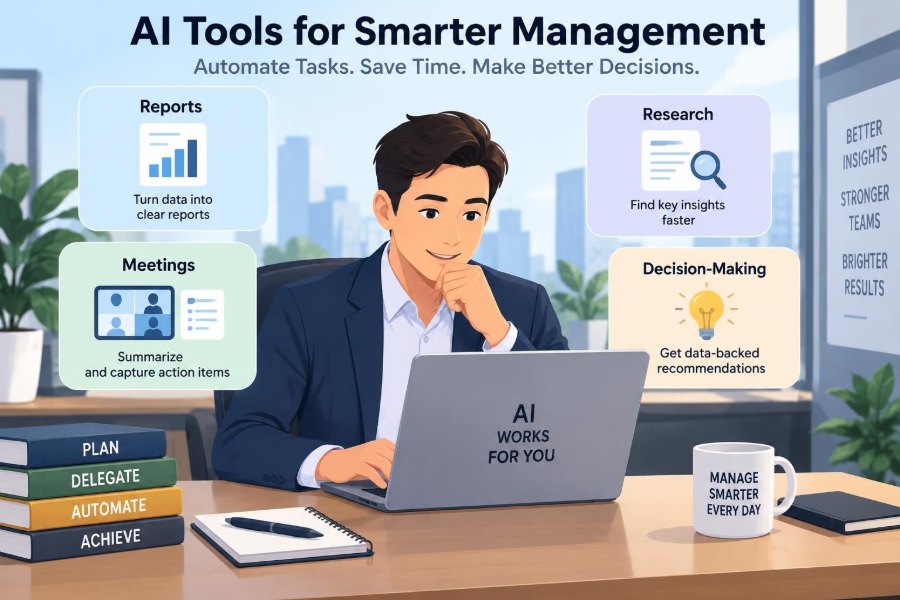

Monday morning often begins with a familiar management puzzle: a dashboard needs updating, a client meeting needs a recap, three people want decisions, and a competitor has made a move worth understanding. None of these tasks is individually unusual. Together, they can consume the day before the manager has done much actual managing.
Artificial intelligence can reduce some of this administrative drag. It can summarize a long discussion, turn scattered notes into a draft report, organize research, and reveal patterns in operational data. But useful AI is not a substitute for judgment, context, or accountability.
The real opportunity is to redesign repetitive information work. Managers can use AI to produce a better first draft, locate relevant evidence, and keep routine processes moving, while reserving human attention for trade-offs, relationships, priorities, and decisions that affect people.
That distinction matters. A rushed manager who accepts an inaccurate summary or exposes confidential information has not saved time. The most effective approach is deliberate: choose a narrow problem, set safeguards, review output, and improve the workflow over time.
🧭 Start With the Work, Not the Tool
AI adoption often goes wrong when a team starts by asking which platform is most impressive. A better question is: where does information repeatedly get stuck, copied, searched for, or rewritten?
List recurring activities that take time but follow a recognizable pattern. Monthly performance updates, meeting notes, customer-feedback sorting, policy drafting, and market scans are common candidates. The goal is not to automate every task; it is to identify work where a reliable first pass would be valuable.
🤖 What AI Assistants Actually Do
Many management tools use large language models, systems that predict and generate language based on patterns in the material they receive. They can write, classify, summarize, extract fields, translate, and answer questions about supplied documents.
Other tools apply AI to forecasting, anomaly detection, transcription, or workflow routing. These capabilities are different. A meeting transcription tool converts speech to text; a generative assistant turns that text into a concise recap; an automation platform may then assign follow-up tasks.
🎯 Match Automation to the Right Task
Strong candidates are high-volume, low-risk tasks with clear inputs and a reviewable output. For example, converting standardized project updates into a weekly draft saves time because the manager can compare the draft with the original updates.
Weak candidates include sensitive disciplinary decisions, final hiring judgments, and situations where a manager must weigh tacit knowledge that is not present in the data. AI can organize evidence in these cases, but it should not make the outcome.
| Management task | Useful AI role | Human responsibility |
|---|---|---|
| Weekly reporting | Draft summaries and flag changes | Validate causes and narrative |
| Meetings | Transcribe, summarize, extract actions | Confirm commitments and owners |
| Research | Organize sources and compare themes | Verify claims and judge relevance |
| Planning | Generate scenarios and questions | Choose priorities and accept trade-offs |
📈 Turn Raw Data Into Report Drafts
Reporting is often a translation task: managers turn spreadsheets, project systems, and departmental updates into a story about performance. AI can help create a first draft when the source data is structured and defined.
A useful prompt specifies the audience, reporting period, metrics, comparison point, and desired format. Instead of asking for a report, ask for a concise leadership update that separates confirmed results, risks, and open questions. This reduces vague, polished-sounding commentary.
🔍 Define Metrics Before Asking for Insight
AI cannot repair a metric that no one has defined consistently. If one team treats a sales lead as an inquiry and another treats it as a qualified opportunity, an automated summary may combine incompatible figures without warning.
Create a small metric dictionary for recurring reports. Include the definition, source system, owner, reporting cadence, and known limitation. This is basic management discipline, and it also gives AI tools the context needed to produce more reliable drafts.
📊 Ask for Variance, Not Just Description
A report that repeats numbers is less useful than one that highlights change. Ask the tool to identify material variances from the prior period or plan, then list plausible explanations supported by the available information.
Keep the word plausible in mind. A tool may notice that service response times rose after a staffing change, but it cannot establish causation simply because two events occurred together. Managers should investigate before presenting a cause as fact.
📝 Build Reusable Reporting Prompts
A reusable prompt template improves consistency and makes delegation easier. It can state the intended reader, the source material, definitions, tone, and checks the tool must perform before drafting.
Audience: senior operations team
Use only the supplied data.
Summarize results, meaningful variances, risks, and decisions needed.
Label assumptions and missing data clearly.
Do not infer causes not supported by the source.
Templates are not magic instructions. They are a way to make expectations visible and reduce the time spent restarting from a blank page.
🚩 Detect Exceptions and Emerging Risks
Analytics tools can flag unusual patterns such as a sudden increase in returns, delayed approvals, or an unexpected drop in conversion. This is especially useful when a manager supervises more information than they can manually inspect.
An alert is a question, not a conclusion. Set thresholds carefully, review whether alerts are genuinely useful, and avoid creating a stream of minor notifications that people learn to ignore.
🎙️ Capture Meetings More Reliably
Meeting assistants can record or transcribe discussions, depending on the organization’s policies and participants’ consent. They can then produce a summary, identify decisions, and list suggested actions.
This can free the chair from trying to facilitate and take perfect notes at the same time. It is particularly helpful for recurring project meetings, where a searchable record makes it easier to trace earlier commitments.
🔐 Get Consent and Protect Confidentiality
Recording is not a casual feature. Participants should know when an AI meeting tool is being used, what it captures, who can access the record, how long it is retained, and whether the provider may use data to improve its service.
Do not upload confidential strategy, customer, employee, legal, or financial material to a public tool without approval. Your organization’s privacy, information-security, and records policies should determine which tools and settings are permitted.
✅ Convert Conversation Into Clear Commitments
A good recap distinguishes discussion from decisions. It should identify the action, accountable owner, due date, dependencies, and unresolved question. Vague output such as “team to follow up” is a warning that the meeting itself may not have reached clarity.
Before distributing a recap, the meeting owner should review it quickly. This small habit prevents incorrect assignments and lets participants correct misunderstandings while the conversation is still fresh.
🗓️ Improve the Agenda Before the Meeting
AI is useful before a meeting too. Give it prior notes, project updates, and the meeting purpose, then ask for a short agenda organized around decisions required rather than status updates.
For a hypothetical product launch meeting, the agenda might isolate three choices: target segment, readiness risk, and launch date. That structure is more productive than allowing fifteen minutes of updates from every function.
🧠 Use AI as a Thinking Partner, Not an Authority
Managers often need to explore options before committing to one. An assistant can generate decision criteria, surface counterarguments, or propose scenarios that a busy team might overlook.
Its value comes from widening the first round of thinking. Its weakness is that generated alternatives can sound equally credible even when they rest on poor assumptions. Ask the tool to state assumptions, uncertainties, and evidence required to test each option.
⚖️ Structure Decisions With Explicit Criteria
For repeatable choices, such as selecting a vendor or prioritizing improvement projects, use a decision matrix. Define criteria before viewing polished recommendations: cost, implementation effort, reliability, customer impact, strategic fit, and risk may all matter.
AI can help draft criteria or turn team comments into a comparison table. The weighting of those criteria remains a management choice because it reflects organizational priorities, not merely calculation.
🧪 Test Scenarios Rather Than Request Predictions
Managers sometimes ask AI what will happen next. A more useful request is to examine scenarios: what would need to be true for demand to rise, delivery capacity to tighten, or a project deadline to slip?
Scenario planning does not predict the future. It identifies signals to watch and prepares responses. For example, a manager may define a hiring trigger if workload stays above a stated level for a sustained period, while recognizing that the appropriate threshold depends on the business context.
🔎 Speed Up Research Without Lowering Standards
AI tools can turn a broad research request into an outline of questions, relevant terms, and a comparison framework. They can also summarize documents that the manager has permission to use.
They should not be treated as a definitive research source. Generated answers can omit context, confuse similar organizations, or state incorrect details with confidence. Trace important claims to dependable original or authoritative sources before using them in a decision.
📚 Separate Discovery From Verification
Use AI first for discovery: identify questions, possible competitors, themes in customer comments, or documents worth reading. Use a separate verification step for anything that affects a budget, contract, compliance position, public statement, or major strategic choice.
This two-stage process is practical because it uses speed where speed helps and human scrutiny where error is costly. Save the verified source material with the final recommendation so others can understand the reasoning later.
🗂️ Summarize Long Documents Carefully
Lengthy policies, proposals, and contracts can be difficult to compare. An assistant can extract headings, obligations, dates, definitions, and questions for review, helping managers navigate the document faster.
It must not replace specialist review. Legal, regulatory, financial, and technical documents may contain exceptions whose significance depends on exact wording. Ask the tool to quote or point to the relevant passage where permitted, then have the appropriate professional interpret it.
💬 Organize Customer and Employee Feedback
Open-ended feedback is rich but time-consuming. AI can cluster comments into recurring themes, such as onboarding confusion, delivery delays, or feature requests, and can separate positive sentiment from complaint patterns.
Review sample comments within each theme. A label such as “pricing concern” may conceal different issues: affordability, unclear billing, perceived value, or a competitor comparison. Good managers preserve this nuance before changing a policy or product.
🔄 Automate Routine Workflow Handoffs
Workflow tools can connect systems so that an event triggers a routine next step. A completed client form might create a task, notify an account owner, and draft an acknowledgment. AI can classify incoming requests so they reach the appropriate queue.
Start with reversible, observable workflows. Keep a human approval point for messages, purchases, access changes, or any action that could create a customer promise or operational problem.
✉️ Draft Better Everyday Communication
Managers can use AI to reshape a rough message for a specific audience: a clear project update for executives, a plain-language announcement for employees, or a tactful request for more information.
Never let a tool manufacture warmth while hiding an unclear decision. Add the actual context, check names and facts, and remove phrases that overpromise. Particularly for performance, conflict, or change communications, the manager must own the message.
👥 Protect Human Judgment in People Decisions
Recruitment, promotion, performance management, and disciplinary action involve fairness, privacy, and significant human consequences. Automated screening or summaries can reproduce incomplete data and historical bias.
AI may assist with administrative work, such as drafting interview questions tied to published criteria or summarizing notes that have been checked. It should not be the unchallenged evaluator of a person. Use documented criteria, human review, and appropriate HR or legal guidance.
🧹 Improve Data Quality at the Source
An AI-generated dashboard summary is only as dependable as the systems feeding it. Duplicate customer records, inconsistent project statuses, and missing dates create unreliable output no matter how sophisticated the interface looks.
Assign owners for critical data fields, simplify forms where possible, and review recurring errors. Often the highest-value “AI project” is not a new tool but a cleaner process that makes every existing report more trustworthy.
🛡️ Establish Governance Without Creating Gridlock
Governance means clear rules about acceptable tools, approved data, access permissions, review expectations, and incident reporting. It should make safe work easier, not force employees to quietly use unapproved services because official processes are impossible to navigate.
A practical policy can classify use cases by risk. Public, low-risk drafting may need simple guidance; internal confidential material may require an approved environment; high-impact decisions may require documented human review and specialist oversight.
🧾 Keep a Record of Material Decisions
When AI contributes to a significant recommendation, document the inputs, key assumptions, verification performed, and final human decision. This is useful for accountability and for learning when a choice succeeds or fails.
The record need not be burdensome. A short decision note can explain what information was used, what uncertainty remained, and why one option was selected over alternatives. It also prevents teams from treating an AI output as if it had no author.
📏 Measure Time Saved and Quality Gained
Do not judge a tool only by how quickly it produces words. Measure whether it reduces rework, improves follow-through, shortens reporting cycles, or helps people find relevant information. A fast summary that requires extensive correction may not be a gain.
Choose a small baseline before rollout. For instance, track the time needed to produce a weekly update and the number of factual corrections required. Compare results after a limited pilot, while accounting for changes in workload or team composition.
🧩 Train Teams to Prompt, Check, and Escalate
Useful adoption is a skill, not merely an account invitation. Team members need to know how to describe a task, provide relevant context, request a specific output, identify uncertainty, and verify claims.
- State the purpose and intended reader.
- Provide approved source material and necessary definitions.
- Ask for assumptions, gaps, and alternative interpretations.
- Review factual statements against the source.
- Escalate sensitive or uncertain cases to the right person.
Shared examples are especially valuable. They show the difference between a rough draft worth editing and an output that should not be used at all.
🚫 Avoid the Most Common Automation Mistakes
The first mistake is automating a broken process. If a weekly report has no audience or decision purpose, AI will only produce an unwanted report faster. Remove unnecessary work before optimizing it.
The second is overtrusting fluent language. A coherent answer may contain invented details, missed exceptions, or a misleading interpretation. The third is failing to assign ownership: every automated workflow needs a person accountable for its result.
🌱 Begin With a Small, Useful Pilot
Choose one process with a clear owner, accessible approved data, and a modest downside if the pilot fails. A team might test AI-assisted meeting recaps for one month, compare them with manual notes, and gather feedback from participants.
Define success in advance. Useful criteria may include faster distribution, fewer missed actions, or improved clarity. Then decide whether to stop, adjust, standardize, or expand. Small pilots generate practical evidence without forcing a broad commitment.
🔮 Prepare for Changing Tools and Rules
AI capabilities, pricing, integrations, and organizational policies change quickly. Build workflows around durable practices rather than one vendor’s interface: clear data ownership, documented prompts, review steps, permissions, and measurable outcomes.
This approach makes a team more adaptable. If a tool changes or a new requirement emerges, the organization can replace the technology while keeping the underlying management process intact.
🏁 The Core Principle: Automate Information Work, Retain Accountability
AI is most useful when it handles the repetitive movement and transformation of information: gathering updates, creating first drafts, sorting feedback, producing meeting recaps, and highlighting questions. These uses can give managers more time for coaching, judgment, and coordination.
Yet accountability cannot be delegated to a tool. Managers remain responsible for the accuracy of reports, the fairness of people decisions, the security of information, and the consequences of action. The goal is better-managed work, not management without humans.
The best AI workflow gives managers faster, clearer information while keeping human judgment firmly in charge of the decisions that matter. Start with one meaningful friction point, build in review, and let proven value—not novelty—guide the next step. 📊🧠✅