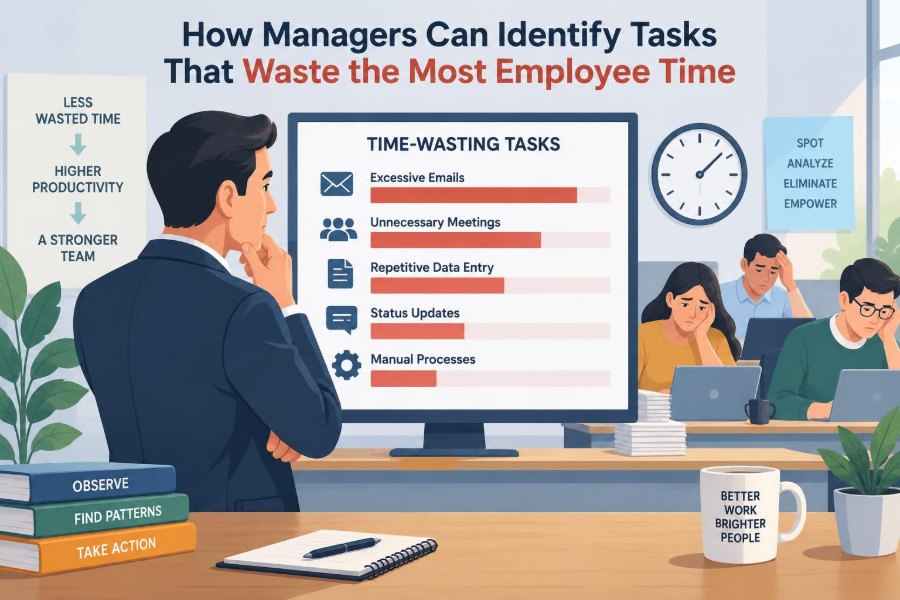

A customer asks for an update, and an employee opens three systems, searches an old email thread, checks a spreadsheet, messages a colleague, and then waits for approval before replying. None of those steps seems unreasonable on its own. Together, they can turn a two-minute request into a twenty-minute interruption.
Managers often notice the visible signs first: missed deadlines, people staying late, overloaded calendars, or complaints that there is “never enough time.” The immediate response may be to push for better prioritisation or faster work. But the real problem is frequently embedded in the work itself.
Time-wasting tasks are not always trivial tasks. They may be necessary activities performed through a clumsy process, duplicated across teams, or repeated because earlier work was unclear. Finding them requires more than asking employees what they dislike doing.
The goal is not to monitor every minute or eliminate all administration. It is to understand where effort produces little value, then redesign the work so employees can spend more of their attention on customers, quality, decisions, and meaningful progress.
🔎 Define “Time Waste” Before Looking for It
A task wastes time when the effort required is disproportionate to the value it creates. This differs from a task that is merely unpopular, difficult, or time-consuming. Preparing a safety report may take time but be essential; manually re-entering the same information into four reports is harder to justify.
In process improvement, waste often includes work that does not change the product, improve the service, reduce a meaningful risk, or provide information needed for a decision. Managers should assess the purpose, frequency, and outcome of work rather than judge it by appearance.
🎯 Separate Necessary Work From Avoidable Friction
Many jobs include administration, documentation, coordination, and compliance. Removing these indiscriminately can create errors or legal and operational risks. The useful question is not “Can we eliminate this?” but “What is the lightest reliable way to achieve its purpose?”
For example, recording a customer complaint may be necessary. Asking an employee to record identical details in a case-management system, a team spreadsheet, and an email summary is likely avoidable friction. The distinction protects essential controls while exposing needless repetition.
🧭 Start With the Work That Employees Actually Do
Job descriptions show intended responsibilities, not necessarily daily reality. To identify wasted time, managers need to observe workflows, review task sequences, and ask employees to describe a normal day from the moment work arrives to the moment it is completed.
A useful prompt is: “Walk me through the last time you completed this task.” Specific examples reveal hidden steps, such as hunting for a template, waiting for a file owner, or correcting data from another system. General questions often produce general answers.
🗺️ Map the End-to-End Process
A process map traces work from its trigger to its finished outcome. It should include handoffs, systems, decisions, approvals, queues, and rework—not just the ideal route described in a procedure manual.
Consider an expense reimbursement process. The map may begin with an employee submitting a receipt and end with payment, but the waste may sit between those points: incomplete forms, manual checking, clarification emails, manager approvals, and finance corrections. Mapping makes fragmented effort visible.
⏳ Measure Elapsed Time and Active Work Separately
Elapsed time is the total time from the start of a request to its completion. Active work time is the time someone is actually working on it. A request may take five days to finish while requiring only fifteen minutes of active effort.
The gap matters because it points to delays, queues, dependency problems, or approval bottlenecks. Employees may be busy, yet the customer or internal stakeholder experiences slow service. Measuring both prevents managers from mistaking waiting time for employee inefficiency.
📋 Ask for Short, Purposeful Time Diaries
A time diary can reveal patterns that calendars and dashboards miss. For a limited period, employees record task categories, interruptions, waiting, rework, and the systems used. It should be simple enough to maintain and designed to improve the process, not evaluate individual worth.
Useful categories might include customer work, internal meetings, reporting, approvals, data entry, information search, error correction, and unplanned support. A diary is most valuable when staff can add a brief reason, such as “awaiting manager response” or “data did not match.”
🤝 Build Trust Before Collecting Time Data
Time data can feel intrusive when employees suspect it will be used to rank people, reduce headcount, or demand an unsustainable pace. Those fears encourage incomplete reporting and conceal the very problems managers need to understand.
Explain the scope, duration, and use of any data collection. Share findings with the team and show what changes result. When employees see a repetitive report removed or a broken form fixed, they are more likely to identify waste honestly in future reviews.
🔁 Look for Duplicate Data Entry
Duplicate entry is one of the clearest forms of low-value work. It occurs when people copy the same details between software tools, spreadsheets, forms, presentations, or emails because systems do not connect or reporting practices have accumulated over time.
Ask employees where a piece of information is first created and everywhere it is subsequently entered. Some duplication is a temporary safeguard, but long-standing duplication deserves scrutiny. A shared source of truth, an integration, or a redesigned template may remove hours of repetitive effort.
🔍 Track the Time Spent Searching for Information
Employees lose time when policies, files, customer histories, decisions, and current templates are hard to find. Search effort is often invisible because it appears as short bursts scattered throughout the day, yet it disrupts concentration and delays decisions.
Warning signs include asking the same questions repeatedly, multiple folders containing “final” versions, or experienced employees acting as human search engines. The solution may involve clearer ownership, naming conventions, access rights, document retention rules, or a well-maintained knowledge base.
📧 Examine Email as a Workflow, Not Just a Communication Tool
Email becomes wasteful when it substitutes for a defined process. Long reply-all chains, copied recipients, recurring status requests, and buried decisions force employees to read, interpret, and retrieve information repeatedly.
Review a sample of common email threads. If the same messages are used to assign tasks, approve routine work, answer recurring questions, or track project status, a shared workflow tool, standard form, decision log, or team channel may be more appropriate.
🧑💼 Identify Approval Bottlenecks
Approvals reduce risk when they involve judgement, authority, spending limits, or exceptions. They waste time when several people approve routine, low-risk work without adding a distinct check or decision.
Map who approves what, why each approval exists, and how often it changes the outcome. A manager may discover that a supervisor approves every small purchase only because an old policy was never revised. Delegated authority and threshold-based approvals can preserve control without creating unnecessary queues.
🧱 Notice Excessive Handoffs
Every handoff creates a chance for delay, lost context, duplication, and misunderstanding. Work often moves between teams because responsibilities are unclear, systems are specialised, or no one owns the complete customer outcome.
Repeated transfers are especially costly when each recipient needs to rediscover the case. Managers should ask whether one person or team can resolve more of the request at the first point of contact, with specialist support reserved for genuine exceptions.
🔄 Find Rework Hidden Behind “Quality Checks”
Rework occurs when completed work must be corrected, clarified, recreated, or processed again. It may be visible as returned forms and customer complaints, but it can also hide in informal fixes: a colleague tidying a report, a manager rewriting an email, or a team repeatedly explaining a request.
Do not assume rework is an employee capability problem. Frequent corrections often point to unclear requirements, confusing forms, poor training, rushed intake, or inconsistent data. Recording the reason for rework helps managers address the source rather than add another inspection layer.
🚨 Treat Interruptions as a Process Signal
Interruptions are not always avoidable; urgent operational issues and customer needs require responsiveness. But constant pings, walk-up questions, and ad hoc requests often indicate that routine information, decision rights, or workload planning are missing.
Ask what triggers interruptions and who receives them. If one experienced employee is interrupted all day for routine guidance, create a reference guide, rotate support duty, or schedule office hours. Protecting focused work is a process design decision, not simply a personal productivity habit.
📅 Audit Recurring Meetings
Recurring meetings can continue long after their original purpose has disappeared. A weekly status meeting may become a spoken version of a dashboard, while a large attendee list can turn a short decision into an hour of passive listening.
For each regular meeting, identify the decision, output, essential participants, preparation required, and alternative. Meetings remain worthwhile when they solve problems, align interdependent work, or enable decisions that cannot be made asynchronously. They are less useful when attendance is based only on habit.
🗣️ Distinguish Coordination From Status Reporting
Coordination involves resolving dependencies: deciding who will do what, managing trade-offs, and responding to changes. Status reporting simply communicates what has already happened. Both can be useful, but they need different mechanisms.
When teams spend large amounts of time verbally collecting updates, a visible task board or concise written update may reduce meeting time. Conversely, replacing a difficult coordination conversation with more reports can make delivery slower. The aim is to match the channel to the work.
📊 Challenge Reports That No One Uses
Reports often survive because they were once requested by a senior leader, needed for a past project, or copied from a previous process. Employees may spend hours preparing, formatting, reconciling, and distributing information that receives little attention.
For each recurring report, ask:
- Who uses it and what decision do they make with it?
- How current and accurate must the information be?
- What happens if it is not produced?
- Could a dashboard, exception alert, or less frequent summary meet the same need?
If there is no clear user or decision, retire the report carefully rather than preserving it “just in case.”
🧮 Consider Frequency, Volume, and Variability
A five-minute task may not matter when it happens once a month. The same task can consume substantial capacity when performed hundreds of times a week. Prioritisation should consider time per occurrence, volume, and the number of people involved.
Variability matters too. A process that usually takes two minutes but sometimes consumes thirty because information is missing may create more disruption than its average suggests. Look for the work with a costly combination of high volume, long duration, and frequent exceptions.
📈 Use a Simple Waste-Priority Matrix
Managers do not need a complex model to decide where to begin. A basic comparison can separate quick improvements from longer redesign projects.
| Pattern observed | Likely priority | Typical response |
|---|---|---|
| Frequent, low-value manual step | High | Remove, automate, or simplify |
| Rare but high-risk control | Review carefully | Improve the control; do not remove it casually |
| Long wait between teams | High | Clarify ownership and service expectations |
| Complex task with meaningful value | Selective | Support with training, tools, or better design |
This approach avoids chasing whatever irritates people most while overlooking repeated work that consumes far more total time.
🧠 Account for Cognitive Switching Costs
Time waste is not limited to minutes recorded on a timesheet. When employees switch repeatedly between unrelated tasks, they must reconstruct context, remember priorities, and recover concentration. The resulting cost can be hard to measure but is real in knowledge-intensive work.
A manager might find that a team has adequate capacity on paper but little uninterrupted time to analyse cases, write proposals, or solve complex problems. Batch routine queries, set response expectations, and reserve focus blocks where the work allows it.
🧩 Investigate the Root Cause, Not the Symptom
When a task is slow, asking “Why does this happen?” several times can move the conversation beyond a superficial answer. A delayed customer response may appear to be an employee issue, then turn out to depend on missing product data, unclear ownership, and a system that does not show stock status.
Root-cause analysis should be practical rather than ceremonial. Talk to the people doing the work, inspect examples, and test assumptions. The objective is to fix the condition that creates recurring delay, not to add pressure to work around it.
🛠️ Choose the Right Type of Improvement
Not every time-wasting task needs automation. Technology can speed up a poor process while making its flaws harder to see. Start by deciding whether the work should be eliminated, simplified, standardised, delegated, automated, or redesigned.
- Eliminate work with no clear purpose or user.
- Simplify forms, rules, and approval paths.
- Standardise repeatable work with templates or checklists.
- Automate stable, rule-based steps after simplifying them.
- Redesign processes with structural handoff or ownership problems.
The best option depends on the cause, cost, risk, and volume of the task.
🤖 Automate With Care
Automation works well for predictable actions such as routing complete forms, generating routine reminders, transferring validated data, or producing standard calculations. It is less reliable when inputs are inconsistent, exceptions are common, or decisions require context and judgement.
Before automating, document the current process and remove unnecessary steps. Otherwise, an organisation may invest in software that rapidly reproduces duplicate entry, confusing approvals, or poor-quality data. Employees should also know how to handle exceptions when automation cannot proceed.
🧪 Test Changes on a Small Scale
A pilot allows managers to test a revised form, new approval threshold, meeting format, or workflow rule with limited risk. Choose a representative group, define what improvement would look like, and gather feedback from both employees and recipients of the work.
For example, a team could replace a weekly status meeting with a written update for a month while keeping a short problem-solving session available. If decisions slow down or important issues are missed, the design can be adjusted before wider adoption.
📏 Track Outcomes After the Change
Removing a task is not automatically an improvement. Managers should check whether the change reduced active work, waiting, errors, rework, or interruptions without harming quality, compliance, customer experience, or employee wellbeing.
Use a small set of measures that fit the process. A revised intake form might be assessed through completion quality, follow-up questions, turnaround time, and user feedback. The purpose of measurement is learning, not generating another report that nobody uses.
⚖️ Protect Quality, Compliance, and Fairness
Some steps exist to prevent fraud, protect confidential information, meet regulatory obligations, or ensure fair treatment. A manager should involve appropriate specialists before changing controls in sensitive areas such as finance, employment, health, safety, or personal data.
Efficiency and control are not opposites. Often the safer process is also clearer: a well-designed form, an auditable workflow, and defined authority can reduce both manual workload and operational risk. The key is to remove redundant effort, not safeguards without understanding their purpose.
👥 Give Employees a Role in Redesign
Employees closest to the work see the workarounds, exception cases, and customer frustrations that managers may never encounter. Involving them improves diagnosis and makes practical adoption more likely.
Participation does not mean every suggestion must be accepted. It means explaining constraints, testing ideas fairly, and giving credit when teams improve a process. A frontline employee may know that a report is wasteful; a manager can help connect that insight to systems, policy, and cross-team decisions.
🚫 Avoid Common Managerial Mistakes
Several well-intentioned responses make time waste worse. Cutting meetings without preserving coordination can create more emails. Removing reviews without fixing unclear requirements can increase errors. Measuring activity too aggressively can encourage employees to optimise recorded time rather than real outcomes.
Other common mistakes include treating every delay as poor effort, automating before simplifying, and launching too many process changes at once. Sustainable improvement requires attention to the work system and enough time for people to learn new routines.
🔄 Make Time-Waste Reviews Routine
Processes gradually accumulate extra fields, copied recipients, reports, approval steps, and informal workarounds. A one-time efficiency project will not prevent this buildup. Managers need a regular, lightweight way to ask what can stop, shrink, combine, or move closer to the point of work.
Quarterly reviews of recurring reports, meetings, and approval paths can be enough for many teams. Include process health in team conversations, especially after system changes, reorganisations, or a noticeable increase in workload.
🌱 Build a Culture That Values Useful Work
Employees are more likely to identify waste when the organisation values outcomes over visible busyness. A full calendar, a long email trail, and extensive documentation can look productive while masking slow delivery and exhausted staff.
Managers set the tone by asking about value, eliminating their own unnecessary requests, and recognising improvements that make work clearer or easier. This does not mean pursuing speed at any cost. It means treating employee time as a limited resource that deserves thoughtful design.
🏁 Focus on Value, Flow, and Evidence
The most productive question is not “Who is wasting time?” but “Where does the work lose value or stop flowing?” That framing directs attention away from blame and toward systems: confusing inputs, duplicate records, unnecessary approvals, weak information access, and repeated rework.
Managers can identify the biggest opportunities by combining employee insight with direct observation, process maps, time patterns, and outcome measures. Start with work that is frequent, frustrating, low-value, or prone to waiting, then improve it in a way that protects quality and control.
When managers treat wasted time as a design problem rather than a personal failing, they create room for employees to do better work and deliver better results. ⏱️🛠️🌱