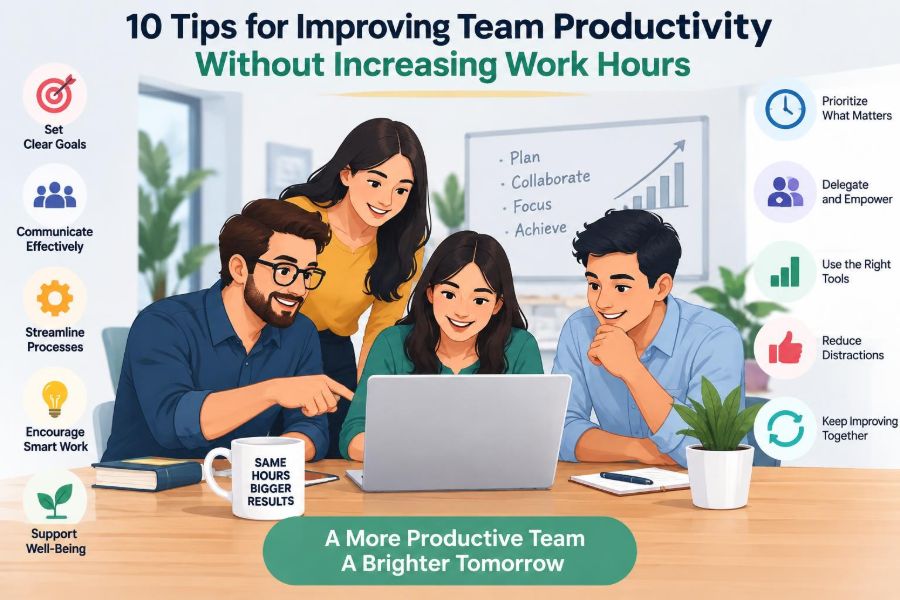

A team can look busy from morning to evening and still finish the week feeling behind. Messages keep arriving, meetings fill the calendar, and people switch between urgent requests without getting enough uninterrupted time to complete meaningful work.
The usual response is to ask for more effort: longer days, faster replies, or tighter deadlines. That may create a brief burst of output, but it often produces more mistakes, lower morale, and a backlog that returns as soon as the pressure eases.
Productivity is not simply the volume of activity a team performs. It is the ability to turn limited time, attention, and resources into work that genuinely moves a goal forward.
That makes the central question more useful: what is preventing capable people from doing their best work during the hours they already have? The following ten tips focus on removing those barriers rather than asking people to run faster.
🧭 Start With a Useful Definition of Productivity
Team productivity means producing valuable results with an appropriate use of time and effort. A customer-support team may measure resolved issues, while a design team may care more about usable decisions and fewer rounds of revision.
Activity is not the same as progress. Sending many emails, attending every meeting, or closing small tasks can create the appearance of momentum while a critical project remains stuck.
A practical definition combines three questions:
- What outcome are we trying to create?
- What quality level must that outcome meet?
- What work is unnecessary, duplicated, or poorly timed?
When a team agrees on these answers, productivity discussions become less personal. The focus shifts from “who worked hardest?” to “how can our system produce better results?”
🔍 Find the Real Constraint Before Changing the Process
Every workflow has a constraint: the point where work slows, waits, or repeatedly returns for correction. It may be a manager who must approve every decision, a specialist with too many requests, or incomplete information at the start of a task.
Adding effort everywhere does not solve a bottleneck. If ten people finish their part quickly but one approval takes five days, the team has created more waiting work, not more value.
Map a recent piece of work from request to completion. Mark where it waited, changed hands, or was redone. Those moments usually reveal more than a broad instruction to “be more efficient.”
🎯 Tip 1: Set Fewer, Clearer Priorities
A long priority list is usually a disguised list of competing demands. When everything is described as urgent, people choose based on the loudest request, the nearest deadline, or the easiest task—not necessarily the most valuable one.
Give the team a small set of current priorities, written as outcomes rather than vague themes. “Reduce the time required to onboard a new client” is clearer than “improve onboarding.” It helps people judge whether a proposed task belongs now or later.
For each priority, clarify:
- the intended result;
- who owns the next decision;
- what “done” means; and
- what work will be paused to make room.
The last point matters. A new priority without a corresponding stop decision simply becomes extra work.
🪜 Make Priorities Visible at the Point of Work
A quarterly plan is useful, but it does not help much when someone receives three conflicting requests on a Tuesday afternoon. Teams need a visible, current view of the work in progress.
A simple shared board, task list, or project view can show what is underway, blocked, waiting for review, and complete. The tool matters less than the habit of updating it honestly.
Visibility also makes trade-offs easier. A stakeholder asking for a new report can see what would be delayed, rather than assuming the team has unused capacity.
🧱 Tip 2: Limit Work in Progress
Work in progress, often shortened to WIP, is work that has started but is not finished. Too much WIP creates a traffic jam: files wait for review, questions go unanswered, and people spend time remembering where they left off.
Limiting WIP means agreeing not to begin unlimited new tasks before existing important tasks move forward. It does not mean never multitasking; some roles must respond to incoming issues. It means treating attention as a limited resource.
For example, a content team might decide that no more than two articles can be in editing at once. When the limit is reached, the next useful action is helping clear editing—not starting another draft.
🧠 Understand the Cost of Task Switching
Switching tasks has a hidden cost. Each time a person moves from preparing a budget to answering chat messages to joining a meeting, they must rebuild context: what the issue was, what assumptions applied, and what decision was next.
Some short interruptions are necessary, especially in operational work. The goal is not silence at all costs. The goal is to protect longer periods for tasks that require analysis, judgment, writing, design, or problem-solving.
Managers can help by distinguishing genuinely urgent issues from items that can wait for a planned response window. A culture where every notification demands instant attention makes concentrated work unusually difficult.
⏱️ Tip 3: Protect Focus Time Deliberately
Focus time should be planned as part of the team’s operating rhythm, not treated as a personal luxury. A team might reserve certain mornings for project work, or agree that non-urgent messages do not require immediate replies during defined blocks.
The arrangement must fit the work. A customer-facing team cannot disappear for half a day, but it may rotate coverage so each person receives protected time. A project team may coordinate two shared focus blocks each week.
The most effective rule is usually clear and modest: explain what is protected, how urgent requests are handled, and when people will next be available.
🔔 Design Communication Rules That Reduce Interruptions
Communication tools become less distracting when the team agrees on their purpose. Chat is useful for fast coordination; a project record is better for decisions that must be found later; a meeting is appropriate when discussion is needed to resolve uncertainty.
| Type of communication | Useful default | Common productivity risk |
|---|---|---|
| Quick question | Chat with context and a clear request | Assuming an instant response |
| Decision or update | Shared project record | Important information buried in messages |
| Complex disagreement | Short live discussion | Long message threads with no decision |
| Status information | Visible work board or brief update | Scheduling a meeting to read information aloud |
These norms reduce ambiguity. They also prevent people from checking every channel repeatedly because they do not know where important information will appear.
🗓️ Tip 4: Make Meetings Earn Their Place
Meetings can accelerate work when they create a decision, resolve a dependency, or allow people to coordinate quickly. They become costly when they exist mainly because a recurring invitation has always existed.
Before scheduling, ask whether the purpose requires real-time conversation. If it does, send a short agenda that identifies the decision, problem, or outcome needed. Invite the people who contribute to that outcome, not every person who might be interested.
A useful meeting ends with named actions, owners, and due points. Without those, the discussion may feel productive while leaving the actual work unclear.
✂️ Shorten, Cancel, or Redesign Recurring Meetings
Recurring meetings deserve regular review because their original purpose can fade. A weekly meeting set up during a busy launch may no longer be necessary months later.
Try replacing a status-heavy meeting with a written update and preserving live time for exceptions, decisions, and risks. A 30-minute meeting may also become a 15-minute stand-up if participants prepare updates in advance.
Be careful not to remove the few forums where coordination is genuinely needed. The objective is not fewer meetings as a badge of honor; it is the right amount of synchronous discussion.
🧩 Tip 5: Clarify Roles, Decisions, and Handoffs
Many delays are not caused by difficult work. They occur because several people assume someone else will decide, respond, or complete the next step.
For important processes, identify who does the work, who makes the decision, who provides essential input, and who simply needs to be informed. A complicated framework is unnecessary if the team can answer those questions quickly.
Handoffs require special care. When work passes from sales to delivery, or from analysis to design, define what information must travel with it. Missing context turns the receiving person into a detective and invites rework.
🚦 Give People Decision Boundaries
Teams slow down when every small choice travels upward for approval. On the other hand, broad autonomy without boundaries can create inconsistency, risk, or duplicated effort.
The productive middle ground is to define decision boundaries. For instance, a service representative may be able to resolve ordinary cases independently but escalate exceptions involving a contract change or an unusual financial commitment.
Good boundaries state the goal, the guardrails, and when escalation is required. They let people act confidently without asking permission for routine judgment.
🛠️ Tip 6: Standardize Repetitive Work
Standardization is not about making every job rigid. It is about reducing avoidable decision-making in work that repeats. Checklists, templates, naming conventions, and standard request forms can make quality more consistent while saving time.
Consider a team that receives incomplete design requests. A short intake form requiring audience, objective, deadline, and required materials prevents a predictable stream of follow-up messages.
Standardize the repeatable parts and leave room for professional judgment in the variable parts. A template should support thinking, not replace it.
🧰 Build a Reusable Knowledge Base
When answers live only in one experienced person’s memory, that person becomes a bottleneck. A searchable knowledge base can capture common procedures, frequently asked questions, decision rules, and lessons from completed projects.
Keep it practical. A page explaining how to handle a common request is more useful than a large library of outdated policy documents. Assign ownership so key material is reviewed after processes change.
Documentation has an upfront cost, but it reduces repeated explanations and makes onboarding less dependent on interrupting colleagues.
🧹 Tip 7: Remove Friction From Tools and Processes
Friction is the small, repeated effort that makes normal work harder: entering the same information in several systems, searching for the latest file, requesting routine access, or waiting for a signature with no clear service expectation.
Ask team members which tasks feel unnecessarily difficult, then investigate the process rather than assuming the complaint is resistance. The best candidates for improvement are frequent, predictable, and frustrating steps.
Sometimes the solution is a better integration or automation. Often it is simpler: retire a duplicate report, reduce a form, or create one reliable source for current information.
🤖 Use Automation With Care
Automation can save time on predictable steps such as routing requests, sending reminders, or transferring approved data. But automating a confusing process may make confusion happen faster.
First simplify the workflow and confirm that the inputs are reliable. Then decide whether automation reduces meaningful manual work without hiding errors or removing necessary judgment.
Teams should also retain a clear way to check exceptions. A process that works for ordinary cases but fails silently for unusual ones can create costly clean-up later.
📏 Tip 8: Measure Flow, Quality, and Outcomes
Measures shape behavior. If a team is judged only on speed, people may rush work through the system and leave defects for someone else to repair. If it is judged only on volume, it may choose easy tasks over valuable ones.
Use a balanced view that includes the outcome, the time work spends moving through the process, and the quality of the result. Useful signals may include work completed, items waiting, rework, customer feedback, or missed commitments, depending on the role.
Metrics are prompts for inquiry, not automatic verdicts on individual performance. A number can reveal a pattern, but it rarely explains the cause by itself.
📊 Use Data to Ask Better Questions
Suppose a team notices that projects often stall just before completion. Rather than telling people to finish faster, ask what is happening at that stage. Are approvals delayed? Are requirements discovered too late? Is final testing under-resourced?
Review patterns over enough time to avoid overreacting to one unusual week. Pair quantitative signals with the team’s direct experience; people doing the work often understand the context behind a change.
This approach turns measurement into learning instead of surveillance.
🌱 Tip 9: Build Skills Where They Release Capacity
Training can improve productivity when it addresses a real constraint. Teaching several team members a critical process may reduce reliance on one specialist. Improving spreadsheet, writing, facilitation, or system skills can eliminate recurring delays.
Generic training that is disconnected from immediate work is less likely to change results. Start by asking which skills would make the next quarter’s priorities easier to deliver.
Learning also needs practice. Pairing, peer review, short demonstrations, and applying a new technique to a real task are often more useful than a one-time session with no follow-through.
🔄 Create Healthy Backup and Cross-Training
Cross-training does not mean every person must perform every job equally well. It means critical work has enough coverage that vacations, illness, or workload peaks do not stop progress.
Document a basic handover, let a backup observe the work, and give them supervised opportunities to perform it. This is slower at first, but it reduces risk and gives the primary owner room to focus on higher-value work.
It can also improve process quality because explaining a task often exposes assumptions that were never written down.
🗣️ Tip 10: Run Short, Blameless Improvement Reviews
Teams need a regular way to examine how work happened, not only whether it was completed. A short review after a project, campaign, incident, or busy period can identify useful adjustments while details are still fresh.
A blameless review does not ignore accountability. It asks how conditions, information, tools, decisions, and handoffs contributed to the outcome before jumping to individual fault.
Useful prompts include:
- What helped the work move smoothly?
- Where did we wait, redo work, or become confused?
- What should we keep, stop, or test next time?
- Who will own the next improvement?
Choose one or two changes and revisit them. A long list of lessons with no owner becomes another form of unfinished work.
🧪 Treat Improvements as Small Experiments
Productivity practices are context-dependent. A rule that helps a software team may be unhelpful for a frontline operations team, and a change that works during a stable period may fail during a peak season.
Frame changes as experiments: define the problem, try a limited adjustment, observe the effects, and decide whether to keep, revise, or stop it. For example, a team could test meeting-free Wednesday mornings for a month and review whether work quality and response needs were both maintained.
This reduces the pressure to find a perfect solution immediately. It also makes employees more willing to share concerns early.
⚖️ Protect Capacity Instead of Rewarding Overload
People who consistently take on extra work are often praised, but an organization that relies on this pattern is borrowing from future capacity. Fatigue, errors, turnover, and missed development time eventually make the system less productive.
Managers should watch for invisible overload: the person who answers every question, fixes every urgent issue, or quietly absorbs unclear work. Redistribute demand, clarify ownership, and address the source of repeat emergencies.
Reasonable workload is not a lack of ambition. It is what allows a team to sustain quality, judgment, and improvement over time.
🚫 Avoid Productivity Theater
Productivity theater includes visible rituals that signal busyness without improving results: excessive reporting, constant availability, packed calendars, or dashboards full of metrics nobody uses.
These practices can feel safe because they are easy to observe. Yet they may consume the exact attention needed for customer work, planning, and problem-solving.
When introducing any process, ask what decision it supports. If no one can identify a decision, customer need, risk, or learning goal, simplify or remove it.
🧭 Adapt the Approach to the Type of Work
Not all work should be managed identically. Routine, repeatable work benefits strongly from standards and predictable flow. Creative or analytical work needs more exploration, feedback, and protected thinking time.
Urgent service work needs clear triage and coverage. Long projects need milestones, dependency management, and early feedback. Applying a single productivity rule to every kind of work can create frustration because the underlying constraints differ.
The shared principle remains the same: make the work visible, reduce unnecessary delay, and protect the conditions required for quality.
🤝 Make Productivity a Team System, Not an Individual Contest
Most meaningful outputs depend on several people. A fast individual cannot compensate indefinitely for unclear requirements, slow approvals, poor tools, or conflicting priorities around them.
That is why the strongest improvements tend to change the system: better intake, clearer decisions, manageable WIP, useful communication norms, and recurring learning. Individual time-management habits can help, but they are not a substitute for sound team design.
Leaders set the tone by modeling priorities, declining low-value work, respecting focus time, and being open about trade-offs.
🏁 The Core Principle: Improve the Work, Not the Hours
Improving team productivity without longer hours is not about finding a clever shortcut. It is about designing work so that skilled people spend more of their time on valuable tasks and less on waiting, rework, confusion, and unnecessary coordination.
Start with one visible problem rather than trying to redesign everything. Perhaps the team has too many priorities, a weekly meeting with no clear purpose, or a review stage where work regularly stalls. Make a specific adjustment, learn from it, and build from there.
Over time, these small operational choices create a team that can deliver more reliably without treating exhaustion as a normal cost of success.
The most sustainable productivity gain comes from removing obstacles to good work, not demanding more hours from the people doing it. 📊🌱🤝